
Student Learning Resources
Whether you’re stuck on homework, trying to understand a concept, or looking for extra practice, everything you need is right here.

Interactive Tools
The eTools let you build and move things around on screen instead of just picturing it in your head. No login, no account. Just open one and start.
CPM Tile Tool
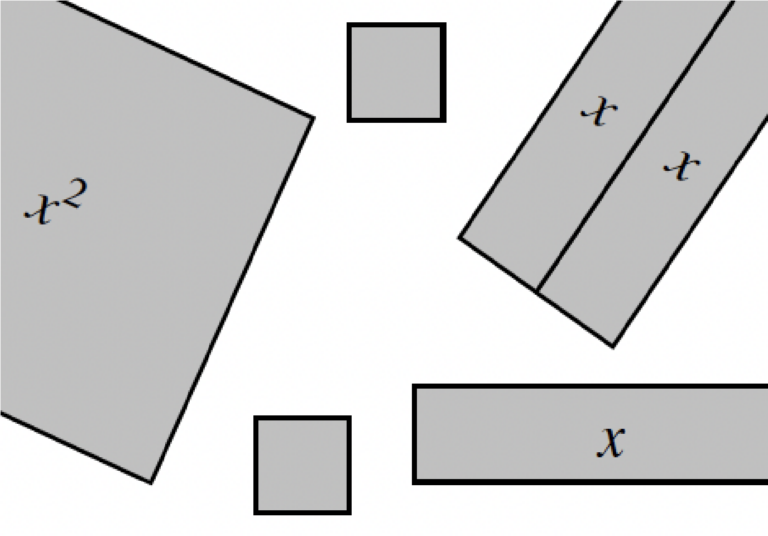
Build equations and expressions out of tiles you can drag around. Useful for factoring, multiplying, and completing the square, from middle school all the way through calculus.
Launch Tile Tool
CPM Probability Tool
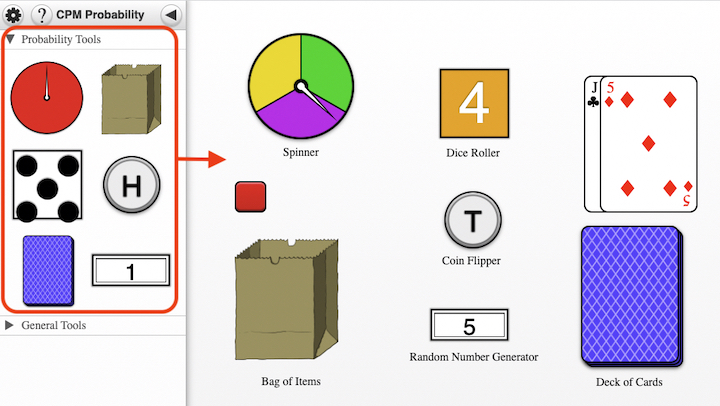
Flip a coin, roll dice, spin a spinner, draw cards, or pull objects from a bag, hundreds of times in seconds. Change the odds and see what happens.
Launch Probability ToolHow to Use the eTools
The eTools aren’t just for following along, you can customize them, build your own models, and use them to check your understanding. Here’s what they can do.
CPM Tile Tool
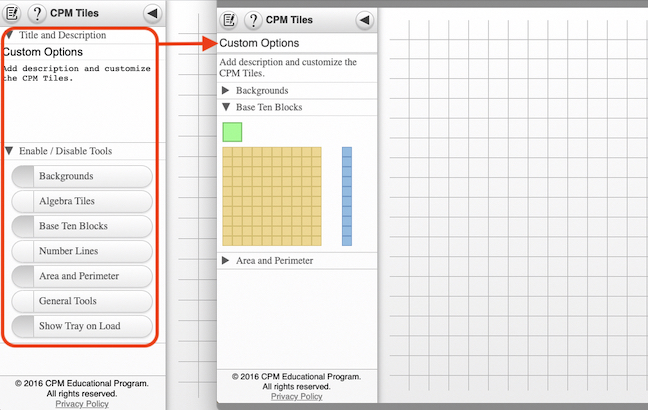
Notes & Custom OptionsAdd titles, descriptions, and customize which tools are visible
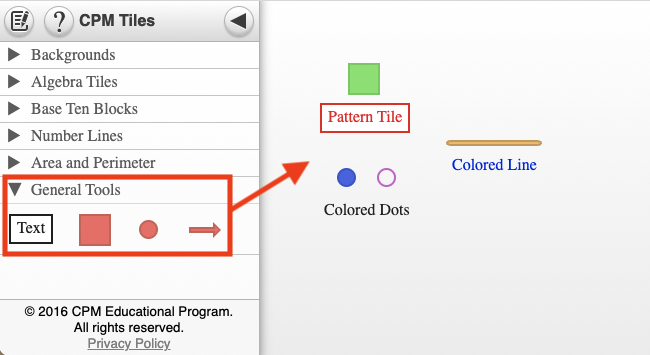
General ToolsAdd text, pattern tiles, colored dots, and lines to your models
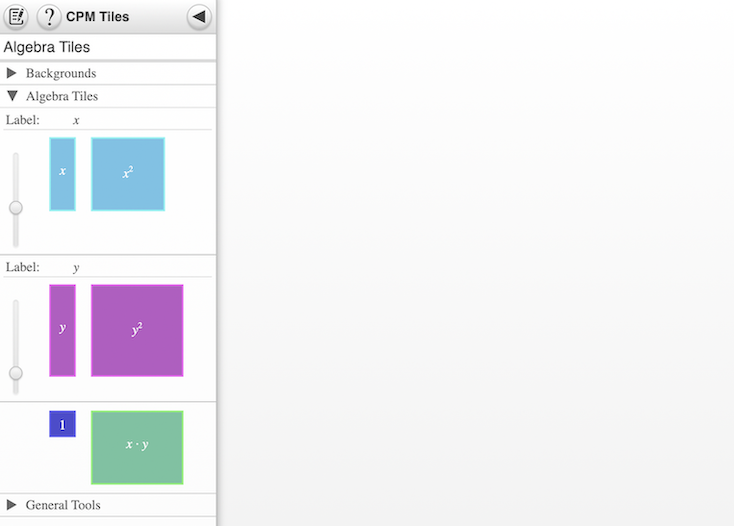
Algebra TilesModel variables, expressions, and equations with moveable tilesAlgebra Tiles TutorialsVideo walkthroughs for modeling algebra concepts with tiles
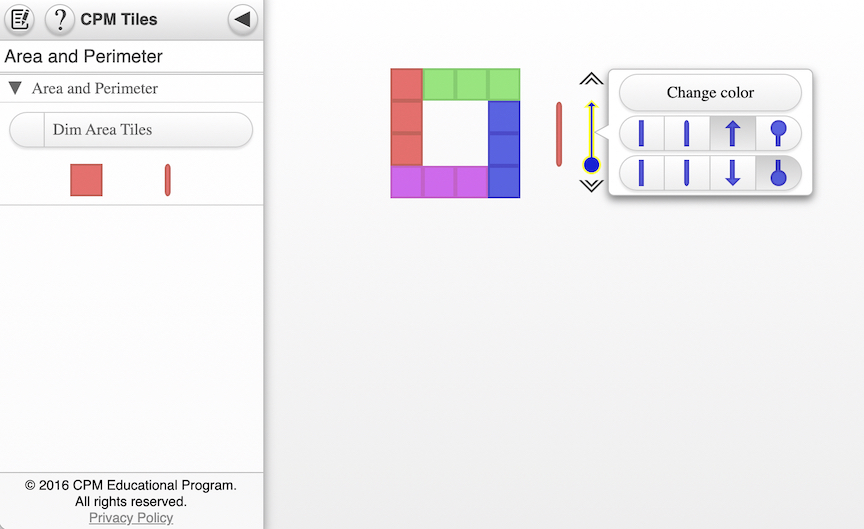
Area and Perimeter TilesTutorial for building and explaining area and perimeter modelsSee It in Action
Watch this short introduction to see how CPM’s digital tools and resources work together to support your learning, in class, at home, and everywhere in between.
Inside Your eBook
Your eBook has five things built into it that most students never open. Each one helps with something different: getting unstuck, checking your work, or reviewing before a test. You will need to log in for these.
All of these resources are available inside your student eBook
Log in to myCPM with your school username and password to get Homework Help, Checkpoints, and everything above.
Course Glossaries
Each glossary collects the mathematical terms used in the course, with definitions and worked examples pulled from the text. Download the one for the course and keep it nearby while working through problems. No login required.
Inspiring Connections, Middle School
Core Connections 3rd Edition, Middle School
Core Connections 3rd Edition, Traditional High School Pathway
Still Need Help?
Your teacher knows your class and exactly what you are working on, so they are the best person to ask about a specific problem. When you need something outside of class, start with one of these.
Tell Us What You Think
Your feedback shapes what goes on these pages. For questions about your own work, your teacher is still the best person to ask.
Quick Reference
Words You Will See
Study team
The 2 to 4 people you work with in class. Everyone has a role, and teams change often so you work with different people.
Review & Preview
Your homework, in Core Connections. It mixes in older topics on purpose, so it will not always match what you did that day.
Reflection & Practice
Same thing as Review & Preview, but in Inspiring Connections.
Checkpoint
A skill check in your book with worked examples and answers. Good for finding out what you actually know before a test does.
Math Notes
The boxes with the definitions and formulas in them. They show up after you have worked with the idea, not before.
Methods & Meanings
The newer name for Math Notes. Same thing.
Toolkit
The notebook you build as you go, with your notes, examples, and diagrams in one place.
Mathematician’s Notebook
The Inspiring Connections version of the Toolkit.
Homework Help
Hints and steps for specific problems, inside your eBook. You need to log in.
Parent Guide
Worked examples for specific problems. In your eBook under Reference, then Student Support. Useful even if nobody at home is helping.
eTools
The drag-and-drop tools on this page. Tiles, spinners, dice, coins. No login needed.
Skill Builders
Extra practice on one topic at a time, sorted Mild, Medium, and Spicy so you can pick your level.
Guided Skill Supports
Extra practice organized by chapter, for Core Connections courses.
Rough Draft Talk
Saying an idea out loud before you are sure it is right. It is supposed to be unfinished.
Team Challenge
A test you take together with your team, usually before the individual test.
No match. Try another word, or ask your teacher.
2.3.4
Defining Concavity
4.4.1
Characteristics of Polynomial Functions
5.2.6
Semi-Log Plots
5 Closure
Closure How Can I Apply It? Activity 3
9.3.1
Transition States
9.3.2
Future and Past States
10.3.1
The Parametrization of Functions, Conics, and Their Inverses
10.3.2
Vector-Valued Functions
11.1.5
Rate of Change of Polar Functions
This professional learning is designed for teachers as they begin their implementation of CPM. This series contains multiple components and is grounded in multiple active experiences delivered over the first year. This learning experience will encourage teachers to adjust their instructional practices, expand their content knowledge, and challenge their beliefs about teaching and learning. Teachers and leaders will gain first-hand experience with CPM with emphasis on what they will be teaching. Throughout this series educators will experience the mathematics, consider instructional practices, and learn about the classroom environment necessary for a successful implementation of CPM curriculum resources.
Page 2 of the Professional Learning Progression (PDF) describes all of the components of this learning event and the additional support available. Teachers new to a course but who have previously attended Foundations for Implementation can choose to engage in the course Content Modules in the Professional Learning Portal rather than attending the entire series of learning events again.